

What is Fixstars AIBooster ?
Simply install Fixstars AIBooster on your GPU servers to gather detailed performance data from active AI workloads and clearly visualize bottlenecks.
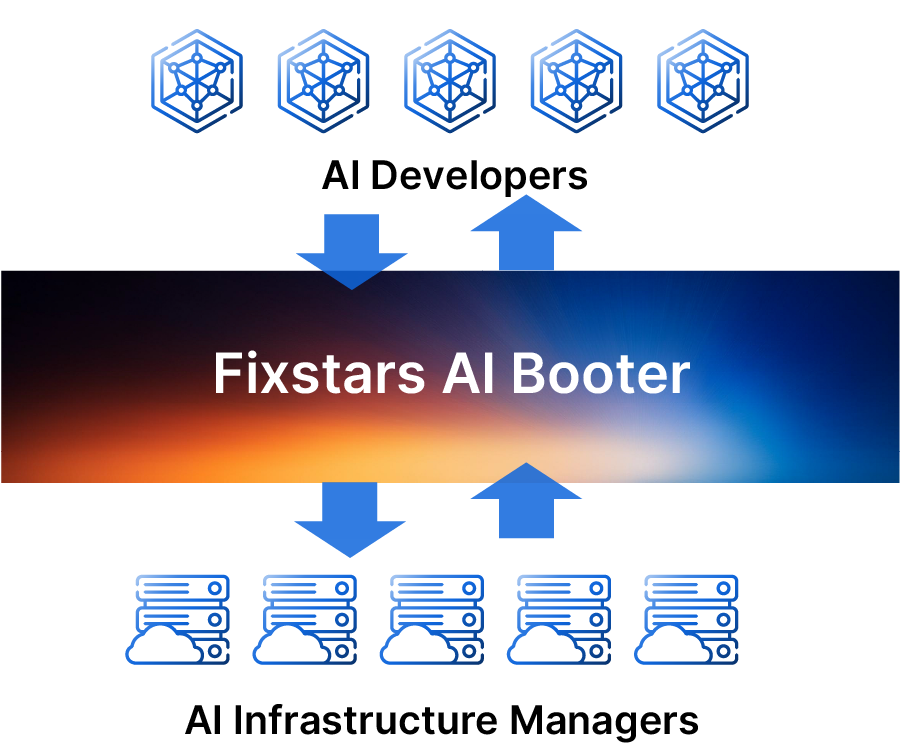
- Monitors and visualizes performance of AI training and inference.
- Identifies bottlenecks and performance issues.
- Provides a suite of tools for automatic acceleration based on collected performance observation data.
- Based on data provided by Performance Observability, users can manually accelerate their AI workloads for further performance improvements.
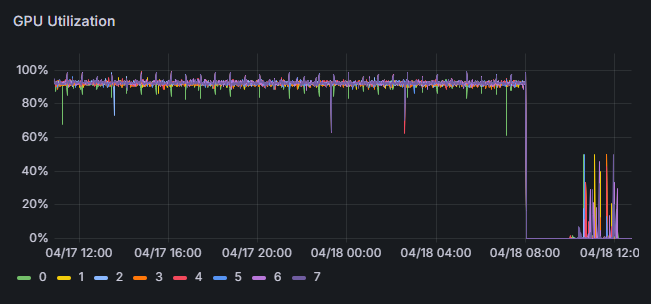
(based on our actual project)
(based on our actual projects)
Performance Observability
- Efficiently collects hardware and AI workload data as time-series.
- Supports multiple platforms (AWS, Azure, GCP, and on-premises), seamlessly monitoring diverse system architectures in one place.
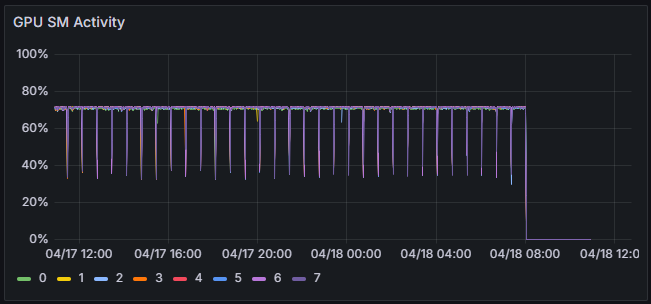
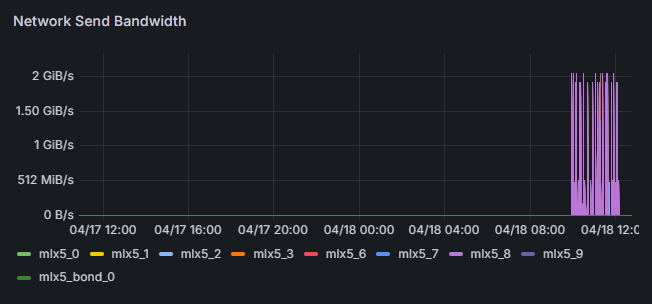
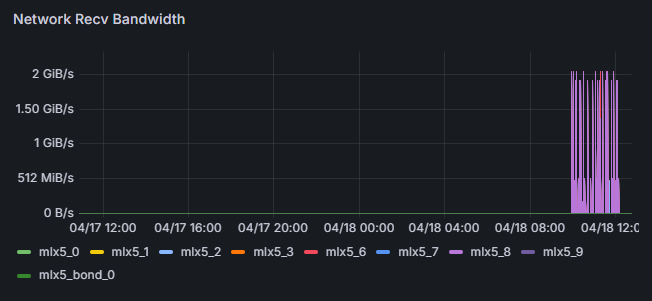
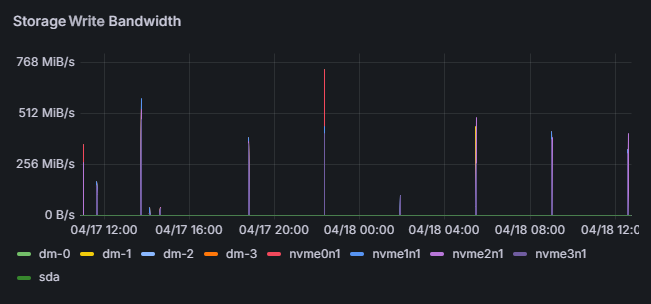
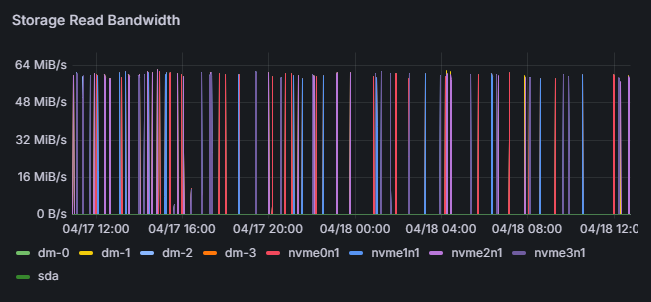
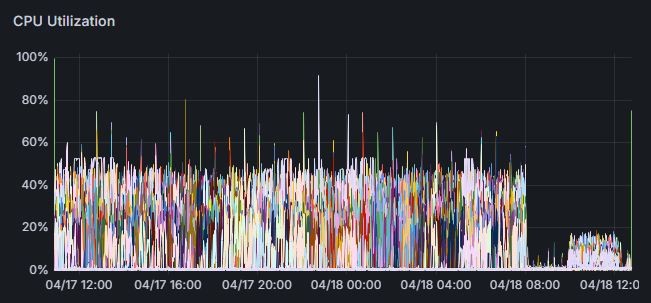
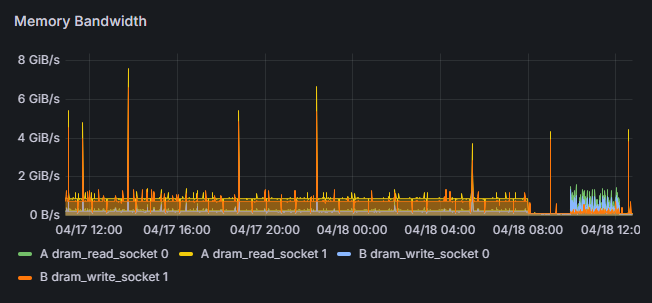
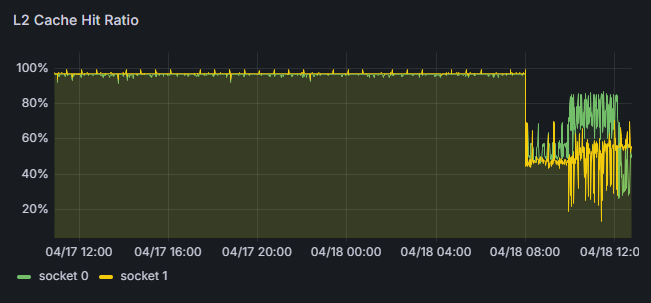
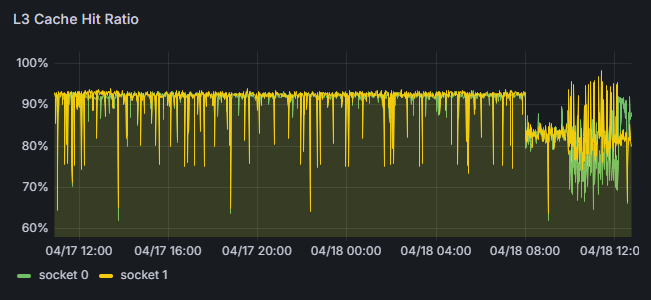
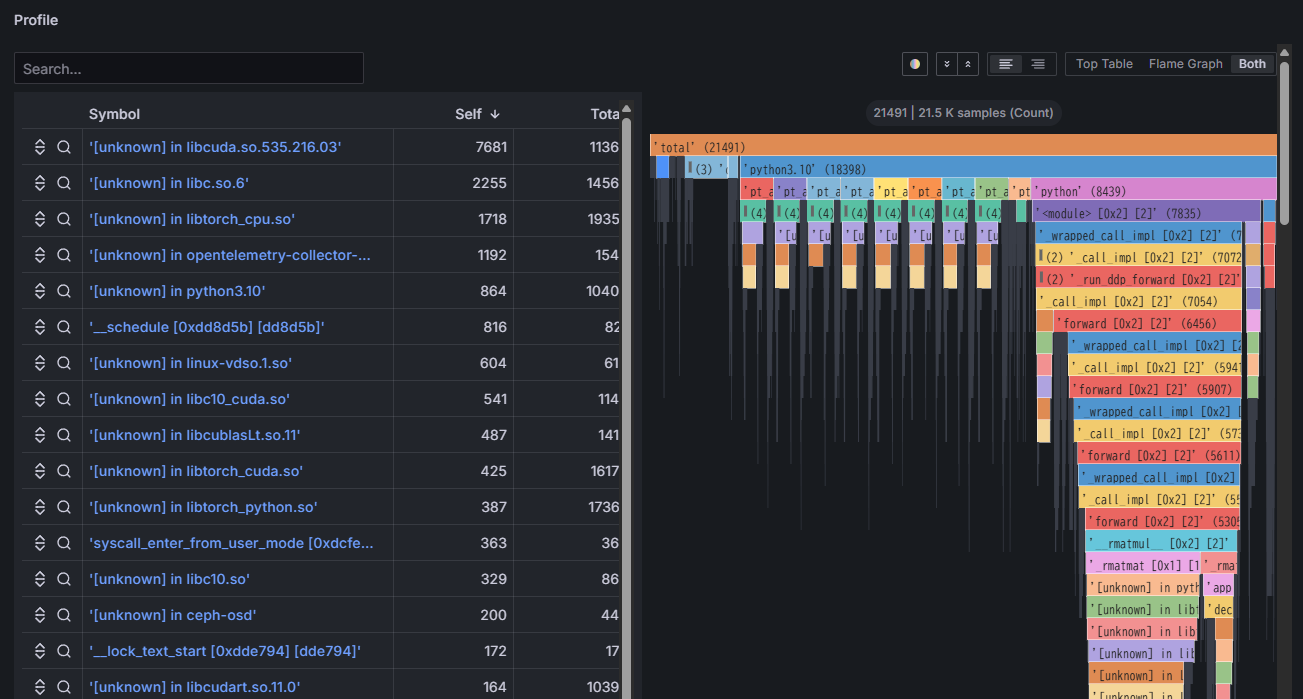
- Continuously saves flame graphs, breaking down application processing time to visualize internal processing details.
- Identifies which functions or libraries in the program are bottlenecks.
- Analyzes differences in application configurations under varying hardware utilization conditions.
Performance Intelligence
Data Analysis
- Calculates training efficiency (identifies potential for acceleration)
- Identifies areas needing acceleration from performance data
Acceleration
- Provides a suite of tools for automatic acceleration based on performance analysis.
- Offers necessary documentation to assist users in achieving manual acceleration.
Performance Engineering Services (Contact us for details)
Fixstars acceleration experts will improve your performance based on AIBooster analysis data, tailored to your environment and requirements.
Examples of Training Acceleration
- MHyperparameter Tuning (Learn more)
- Model Compression
- Applying appropriate parallelization methods for AI models
- Optimizing communication library parameters
- Improving memory bandwidth efficiency through re-computation
Examples of Inference Acceleration
- Fully Automated Inference Acceleration (Learn more)
- Automatic Mixed Precision Quantization
We provide the ZenithTune library, which helps you achieve peak performance with minimal coding, unlocking your application's full potential.
Learn more about ZenithTune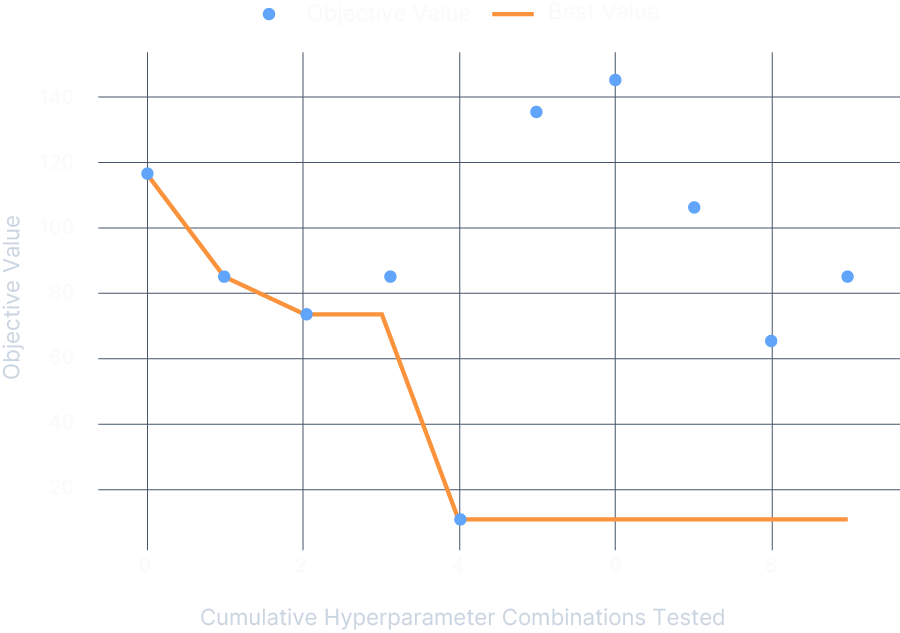
Challenges in Accelerating Deep Learning Model Inference on NVIDIA GPUs
- Complex Model Structures: The latest AI models have massive and intricate architectures.
- Limitations of Manual Optimization: Manually converting every pattern is too time-consuming and impractical.
- Need for Specialized Knowledge: Deep technical knowledge and experience with GPUs and TensorRT are required.
AcuiRT fully automates the conversion of AI models built with PyTorch into TensorRT. It dramatically reduces development time and boosts inference speed without requiring specialized expertise.
Learn more about AcuiRT
PyTorch Model
Complex multi-module structure
Automatic Structure Analysis
Automatically understands the module structure
Step-by-Step Optimization
Executes optimization completely automatically
Optimized Model
Immediately ready for usePerformance Engineering Cycle
Performance is not constant—it evolves due to new model adoption, parameter changes, and infrastructure updates. By continuously running the performance improvement cycle, you can prevent degradation and always achieve peak performance.
-
Adoption of New Models/Methods
Updates to Transformer architectures and multimodalization change computation patterns, disrupting the balance of GPU utilization and memory bandwidth. -
Changes in Hardware Configuration/Cloud Plans
Changes in instance types, price revisions, and region migrations can make previously cost-optimized configurations obsolete, leading to over-provisioning or performance bottlenecks. -
Library/Framework Updates
Version updates of CUDA, cuDNN, PyTorch, etc., can alter internal algorithms and memory management, causing unexpected increases in latency or deterioration of memory footprint.
Proven Performance Improvements
-
Broadcasting Company - LLM 70B Continued Pre-training

-
Telecom Company - LLM 70B Continued Pre-training

-
LLM7B Model Training

-
LLM Single-batch Inference

-
LLM Multi-batch Inference

Note: These results include both automatic accelerations by Fixstars AIBooster and additional manual accelerates based on collected performance data.
Software Configuration
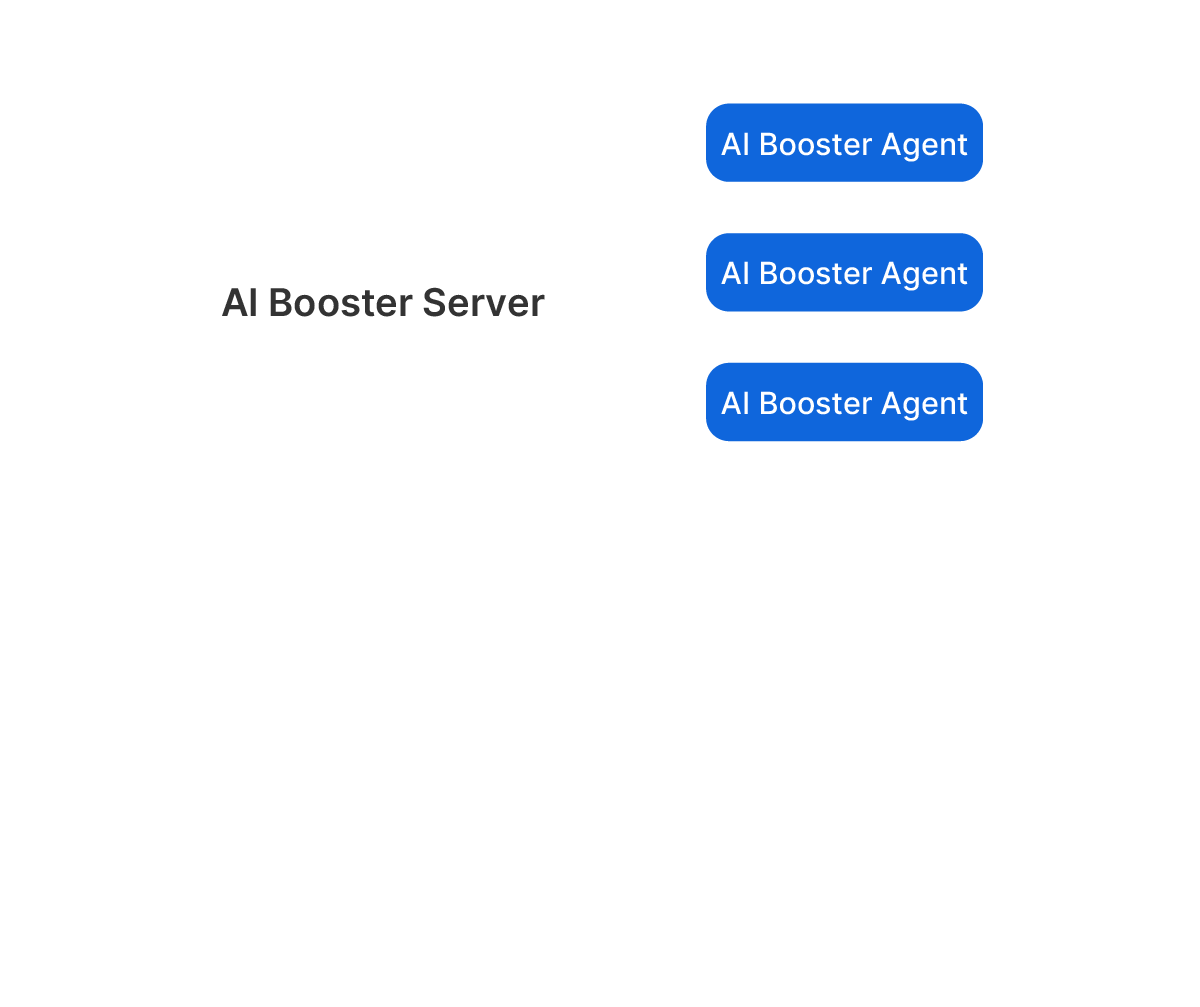
AIBooster consists of two main components:
AIBooster Agent
The Agent is a Linux application that you install on the GPU compute nodes you manage.
It collects performance data from each node and sends it to the Server. It doesn't matter whether the
compute nodes are on the cloud or on-premises.
AIBooster Server
The Server stores the received data and provides a dashboard for easy data
visualization. By simply accessing the dashboard from your browser, you can monitor the performance of each
compute node.
AIBooster supports multi-cloud environments and server clusters distributed across multiple locations. From a single dashboard, you can view the status of your entire system, detailed information for each node, and even detailed information for each compute job.
Software Configuration Example
This option is for those who need to build everything on-premises and cannot use external services for security reasons.
You will designate one management node and install the AIBooster Server on it,
and then install the AIBooster Agent on each GPU compute node.
From your personal computer, you can view the dashboard provided by the management node through a browser via
TCP port 3000.
This is the recommended configuration for most GPU cluster server systems.

FAQ
The software runs as a Linux daemon, meaning it's always active with minimal overhead. We refer to it as having "near-zero overhead."
It runs on Debian-based Linux environments. We have verified operation on Ubuntu 22.04 LTS. It can also run without an NVIDIA GPU, but the available data and functionality will be limited.
Fixstars AIBooster is free to use. However, the Performance Intelligence (PI) feature is available at no cost for the first month after activation and becomes a paid feature thereafter. Please refer to the Fixstars AIBooster's End User License Agreement for details.
Fixstars does not collect user-specific data (such as your application data or detailed analysis results). We only gather general usage statistics for product improvement purposes. Contact us for more details.
Traditional tools (e.g., DataDog, NewRelic) show hardware utilization, but Fixstars AIBooster additionally captures detailed AI workload data. It analyzes this data to identify and resolve performance bottlenecks.
It optimizes performance by analyzing data from Performance Observability (PO). This includes changing infrastructure configurations, tuning parameters, and optimizing source code to maximize GPU utilization.
Profiling tools (like NVIDIA Nsight) capture "snapshots" triggered by specific commands. In contrast, AIBooster continuously captures detailed performance data, enabling historical analysis and identification of performance degradation. AIBooster’s automatic acceleration suggestions and implementations are unique features.
Yes. Because the underlying technology is broadly applicable, other AI or GPU-accelerated workloads can also benefit. The exact improvements depend on your specific workload—please contact us for details.
Any other questions? Please contact us.
Performance Engineering with
Fixstars AIBooster

Detect hidden bottlenecks and automatically accelerate your AI workloads.
Achieve further acceleration manually by utilizing acquired performance data.